2027 · Digital Planner · GoodNotes
Slow burn.
不疾,不熄
Today is as far as the light reaches.
光所及處,即是今日。
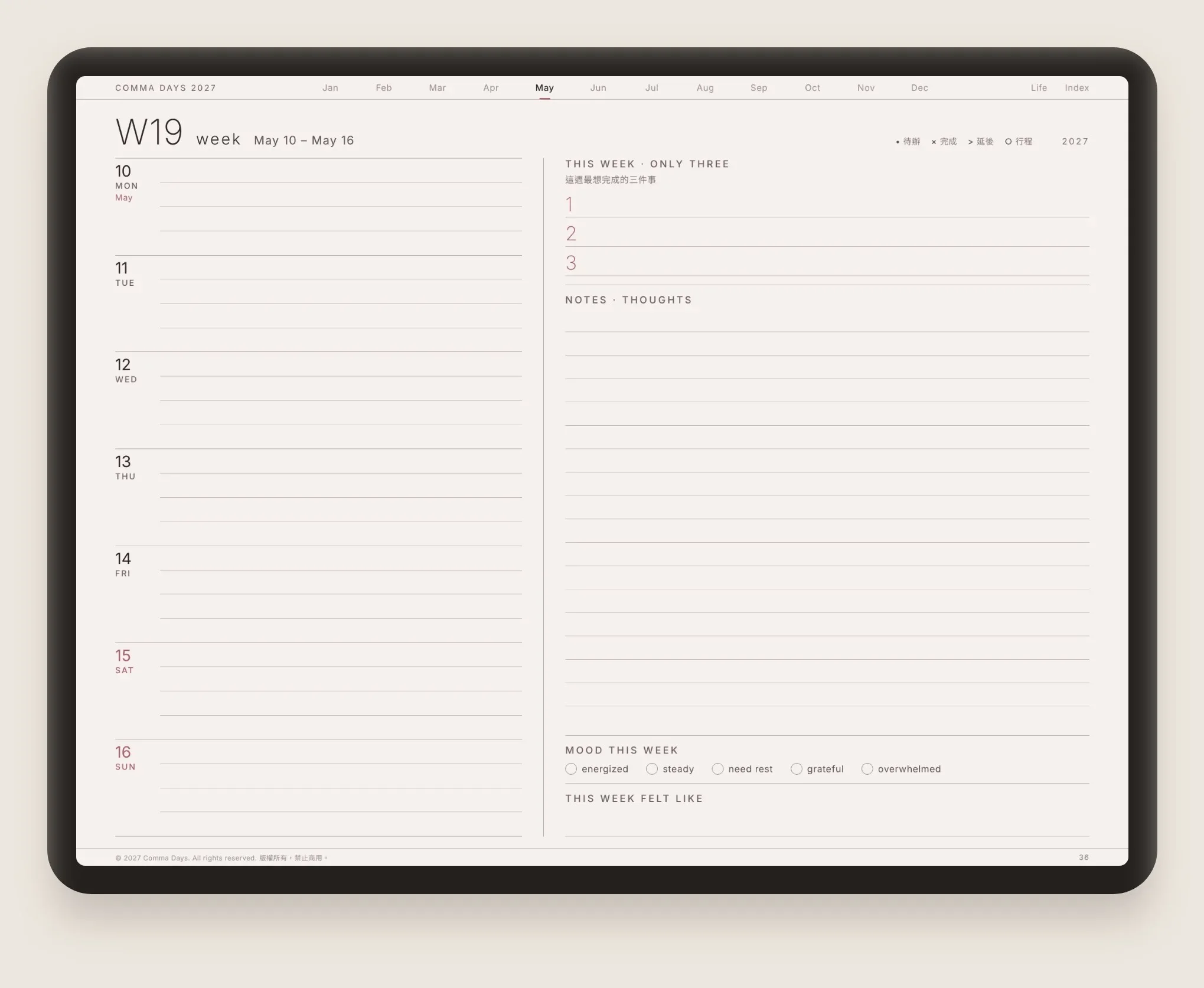
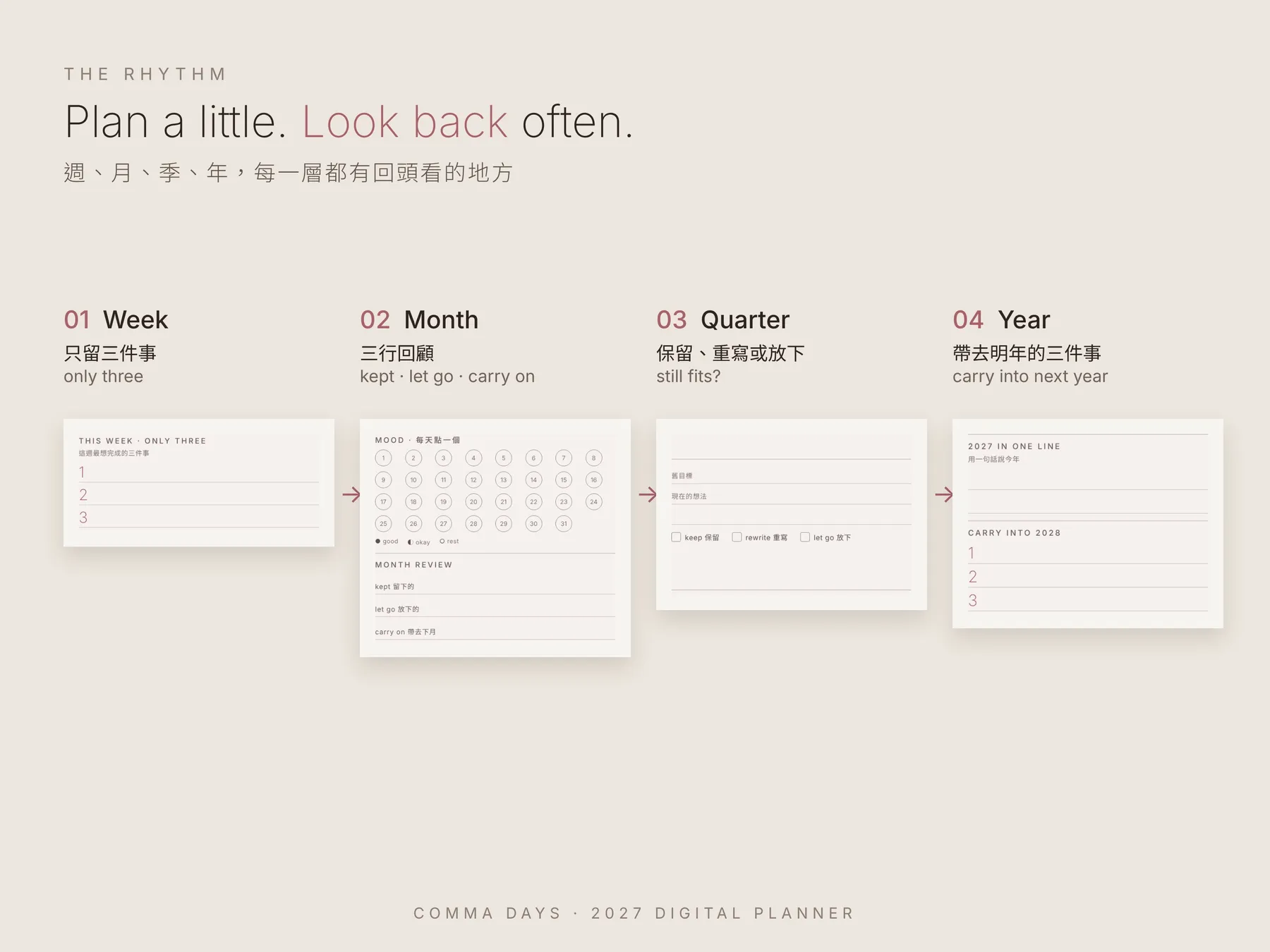
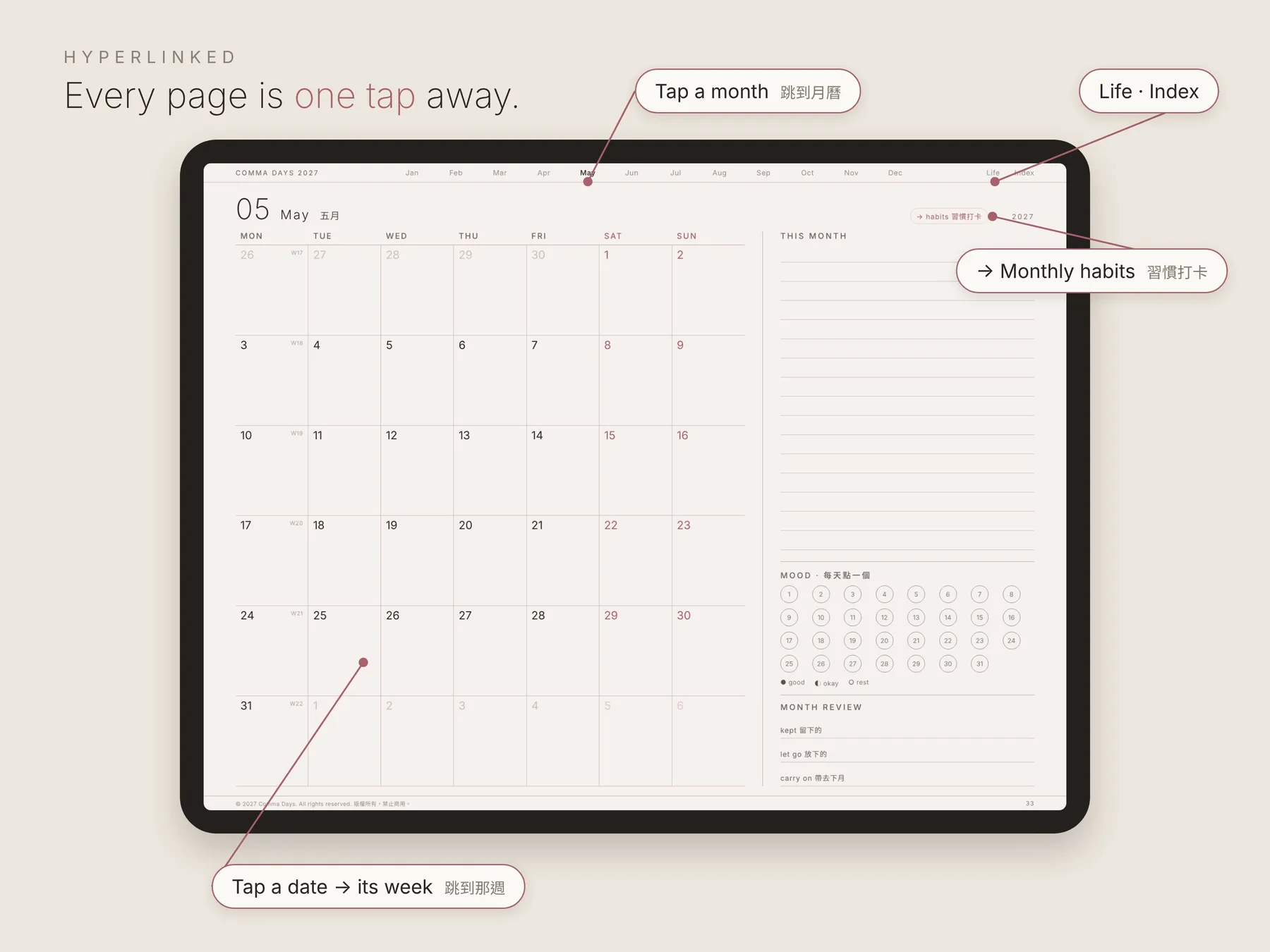
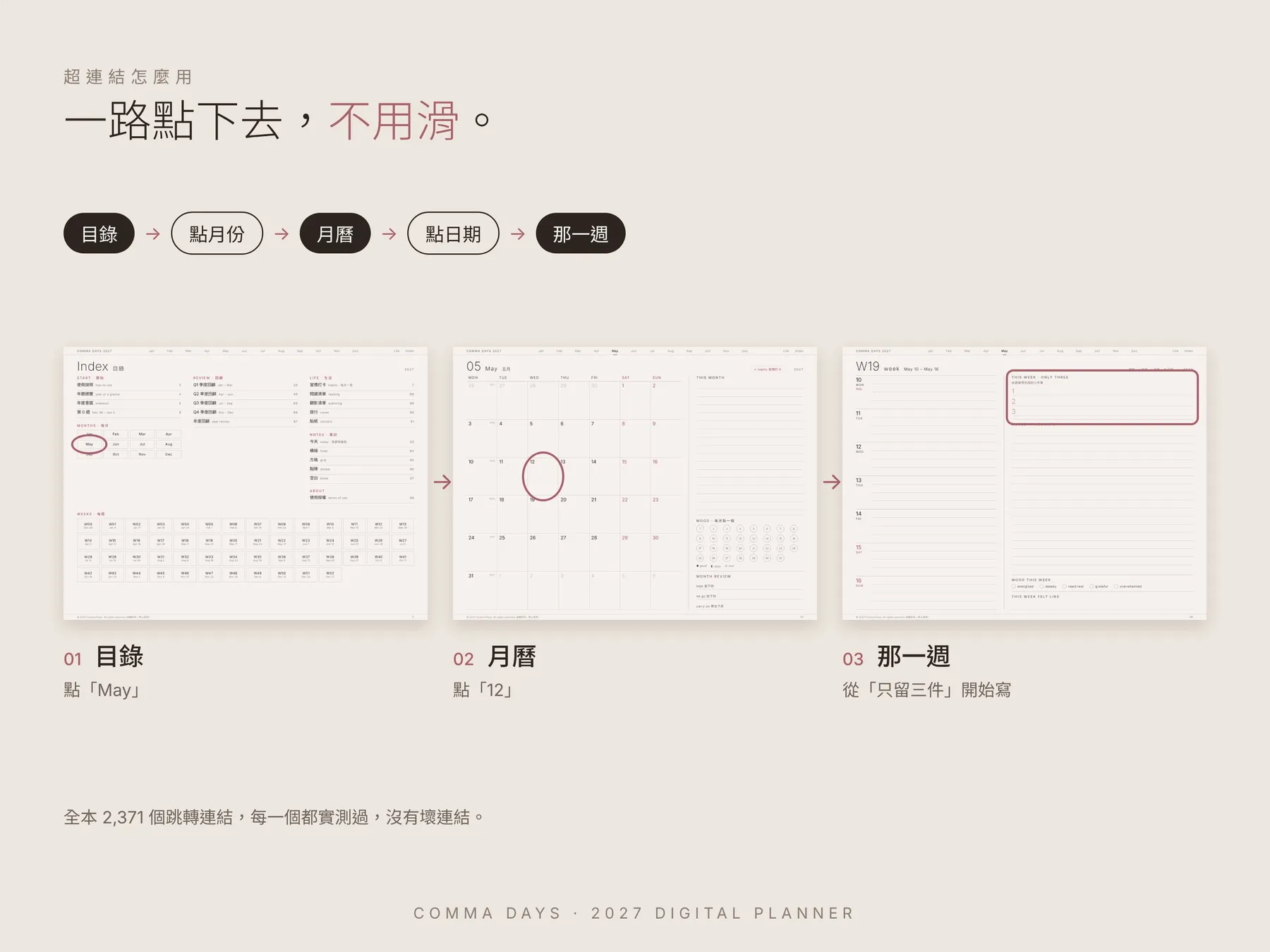
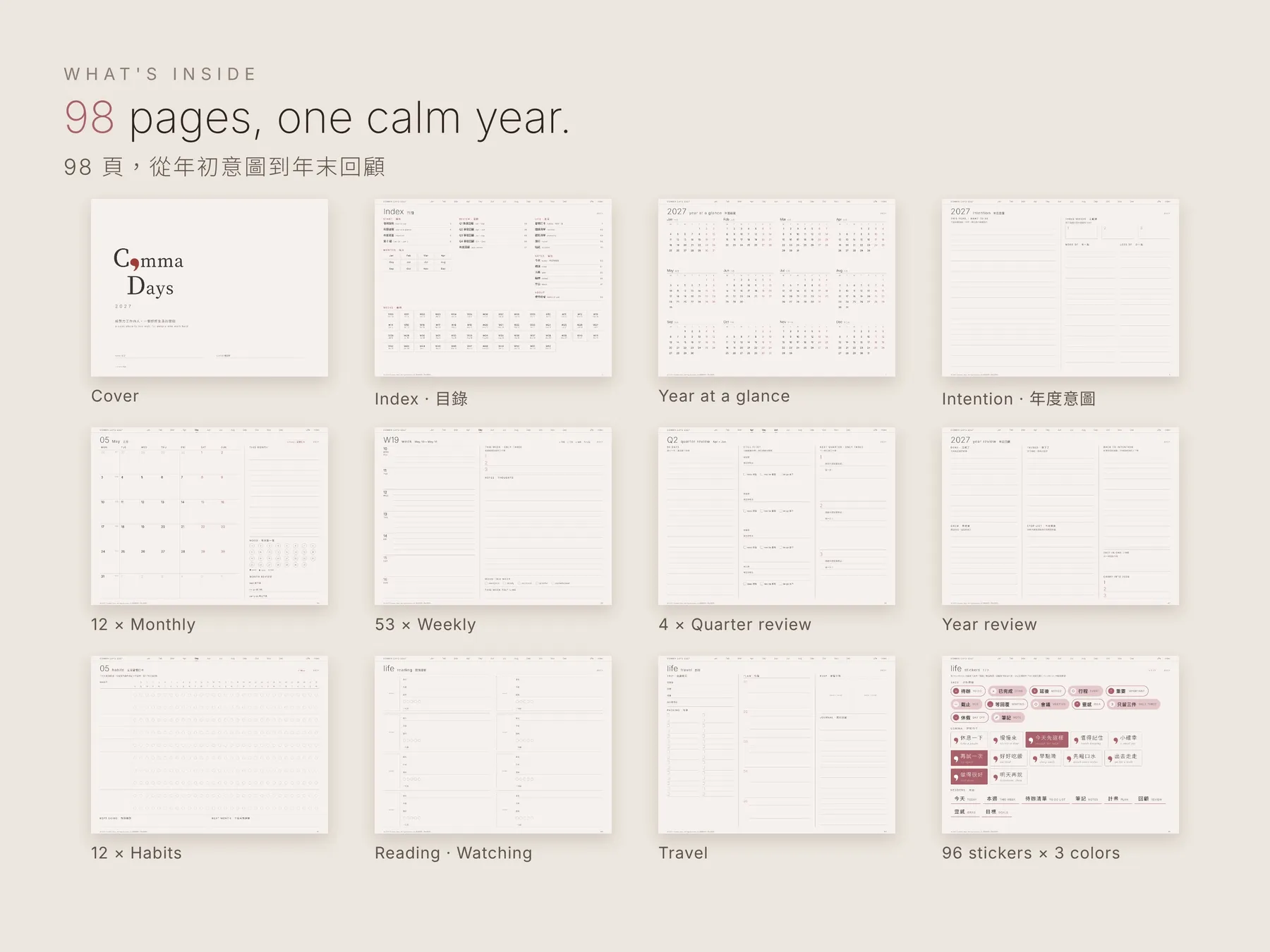
Weekly, monthly and quarterly reviews, hyperlinked end to end. 98 pages for one calm year.
Launch sale 40% off until Nov 9 · 開賣 6 折至 11/9
Pricing
Pick your pace.
一次買斷,立即下載。中英版、全英版同價。
Free Sample
免費試用版
$0
- 15 pages, fully linked15 頁,連結都能點
- January, first weeks & Q1一月月曆、前幾週、第一季回顧
- Today page & stickersToday 頁、貼紙頁
- English + 中英 both included兩種語言都有
Full Planner
完整版・三色全收
$12.90
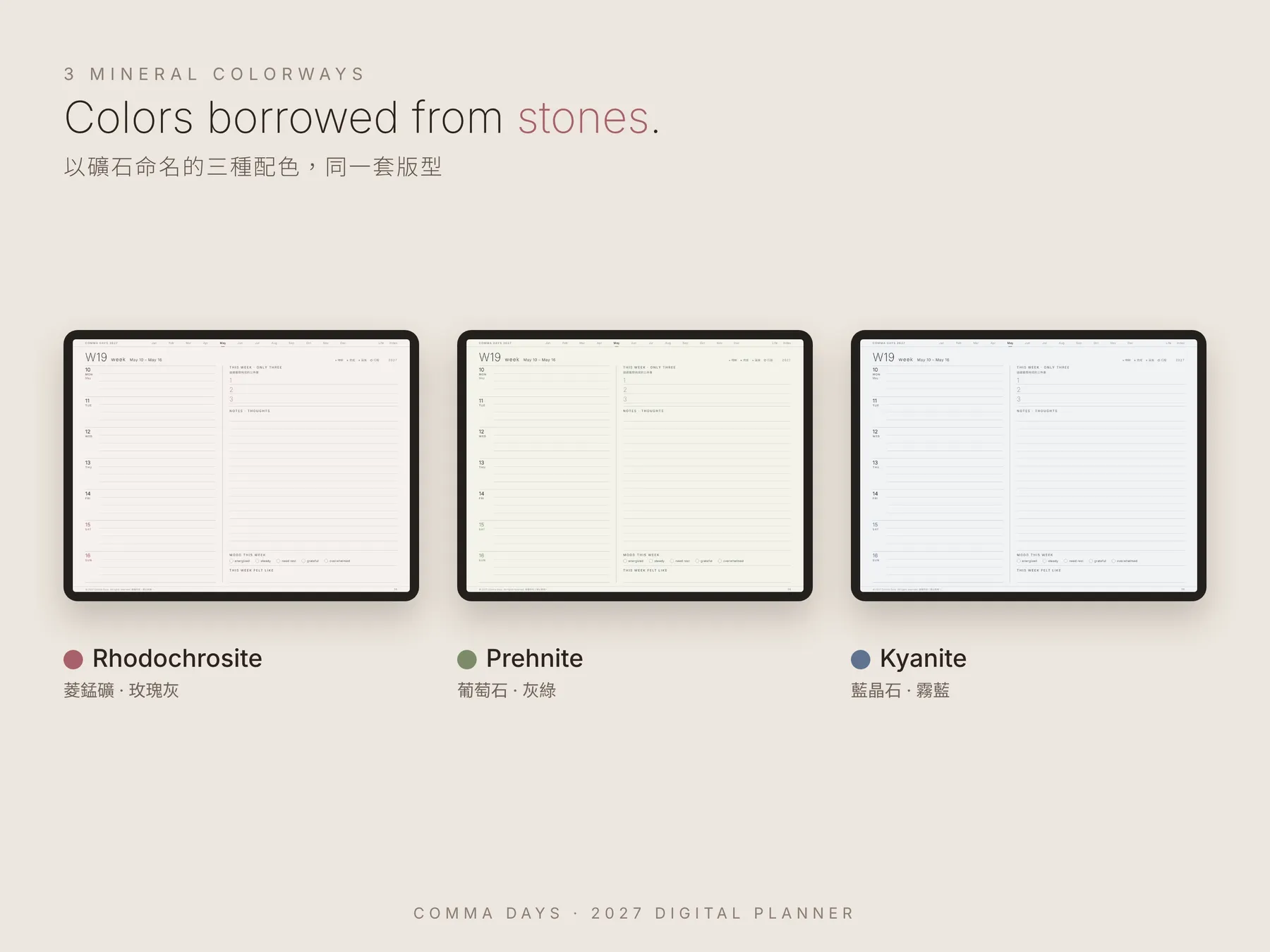
- All 3 colorways玫瑰灰・灰綠・霧藍
- 98 pages × 3, 2,371 links each每本 98 頁、全連結
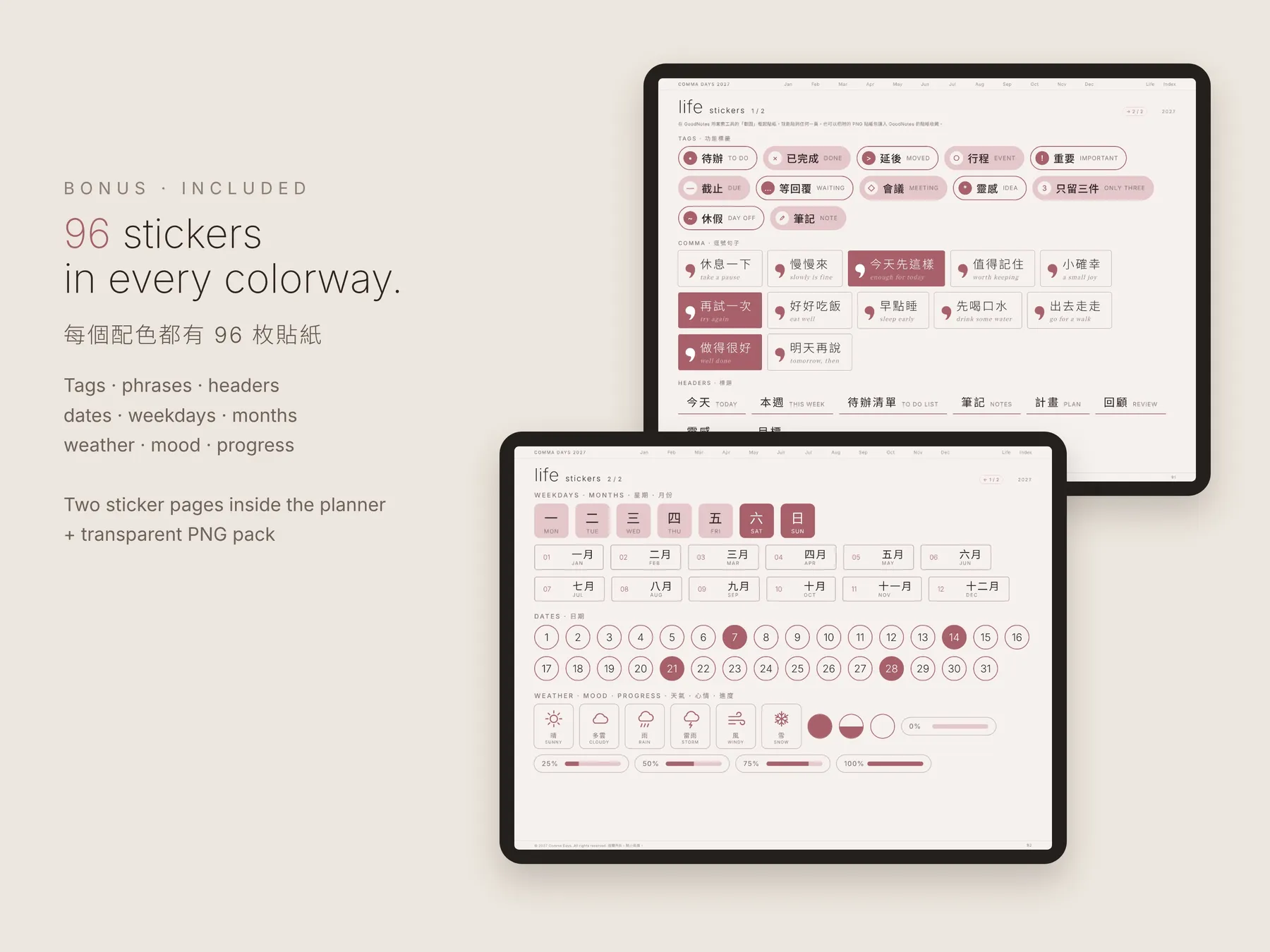
- Sticker packs, transparent PNG貼紙包(透明 PNG)
- Choose English or 中英 edition結帳時選語言版本
Single Colorway
單色版
$7.90
- 1 colorway of your choice挑一個顏色
- English + 中英 both included兩種語言都給
- Sticker packs, transparent PNG貼紙包(透明 PNG)
- Same 98 pages, fully linked同樣 98 頁全連結
Prices in USD. Checkout via Gumroad, shown in your local currency. 以美金計價,結帳頁會自動換算成台幣等當地幣別。
FAQ
Good to know.
How do I open it in GoodNotes? · 怎麼匯入 GoodNotes?
Download the PDF on your iPad, tap Share, choose GoodNotes and "Import as New Document". Or in GoodNotes tap + New → Import. Don't use it inside a mail or messaging-app preview — previews are view-only. A step-by-step How to Use guide comes with every download.
在 iPad 下載 PDF,點「分享」→ 選 GoodNotes →「匯入為新文件」;或在 GoodNotes 點「+ 新增」→「匯入」。請不要直接在 LINE 或郵件的預覽裡使用,預覽只能看不能寫。每份檔案都附圖文使用教學。
Why doesn't tapping with my pen open links? · 為什麼用筆點連結不會跳頁?
In GoodNotes the pen always writes, so links open with a finger tap. Switch to Read-only mode (the pen icon at the top), or turn on "Apple Pencil only" in GoodNotes settings so your pencil writes and your finger taps links. You can also long-press a link and choose "Open Link". Note: most third-party styluses count as a finger.
GoodNotes 裡筆一律是寫字,跳頁要用手指點。可以切到「唯讀模式」(上方筆的圖示),或在 GoodNotes 設定開啟「只用 Apple Pencil 書寫」,這樣筆負責寫、手指負責點;也可以長按連結選「開啟連結」。註:多數副廠觸控筆會被當成手指。
Does it work with Notability? · 可以用 Notability 嗎?
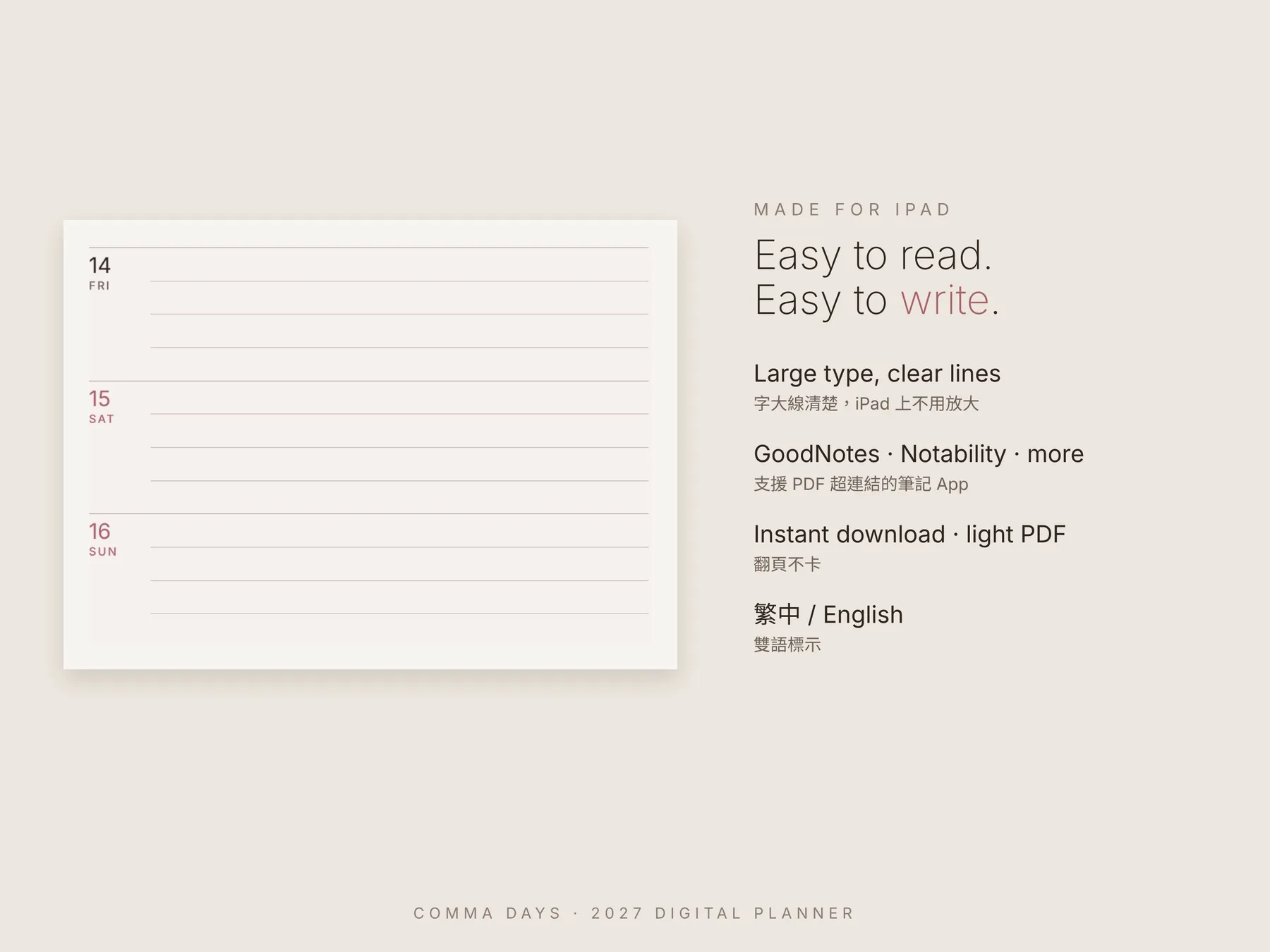
Yes. Any PDF app that supports hyperlinks works: GoodNotes, Notability, Noteshelf, Xodo and more. Just import the PDF. Designed for iPad in landscape.
可以。支援超連結的 PDF 筆記 App 都能用,例如 GoodNotes、Notability、Noteshelf,直接匯入 PDF 就好。為 iPad 橫向閱讀設計。
English or bilingual? · 中英版和全英版差在哪?
Same layout and price. The bilingual edition labels every page in English and Traditional Chinese; the English edition is English only.
版型、價格都一樣。中英版每個標題都有中英對照;全英版只有英文。
Is it dated? · 有日期嗎?
Yes — the calendar runs January to December 2027, weeks start on Monday. The Today page is undated, so you can duplicate it as often as you like.
有,2027 年 1–12 月,週一開始。Today 頁沒有日期,可以自由複製使用。
How do I get the files? · 怎麼拿到檔案?
Right after checkout you get a download page and an email from Gumroad. You can re-download any time from your Gumroad library.
付款後馬上會看到下載頁,也會收到 Gumroad 的信件,之後隨時可以重新下載。
Refunds · 退款
This is a digital download delivered instantly once you agree at checkout, so all sales are final. If a file is broken or won't open, email us within 14 days and we'll send a replacement or refund you.
本商品為非以有形媒介提供之數位內容,結帳時經您同意後即提供下載,依《通訊交易解除權合理例外情事適用準則》第 2 條第 5 款,不適用 7 天解除權(鑑賞期)。若檔案損壞或無法開啟,請於 14 天內來信,我們會協助換檔或退款。
Can I share or resell it? · 可以分享或轉賣嗎?
Personal use only. Please don't share, resell or redistribute the files.
僅限個人使用,請勿分享、轉售或重新散布檔案。
Contact · 聯絡我們
[email protected] — we usually reply within 3 working days. 一般 3 個工作天內回覆。